> ## Documentation Index
> Fetch the complete documentation index at: https://docs.fairfood.org/llms.txt
> Use this file to discover all available pages before exploring further.
# Farmer card
### Overview
Using NFC cards, farmers can digitize proof of cash payments. Transactions are stored on Trace, and farmers verify payments via QR scan or SMS, even in areas with limited internet and smartphone access.
### Farmer card features
Using NFC cards, farmers can digitize proof of cash payments. Transactions are stored on Trace, and farmers verify payments via QR scan or SMS, even in areas with limited internet and smartphone access.
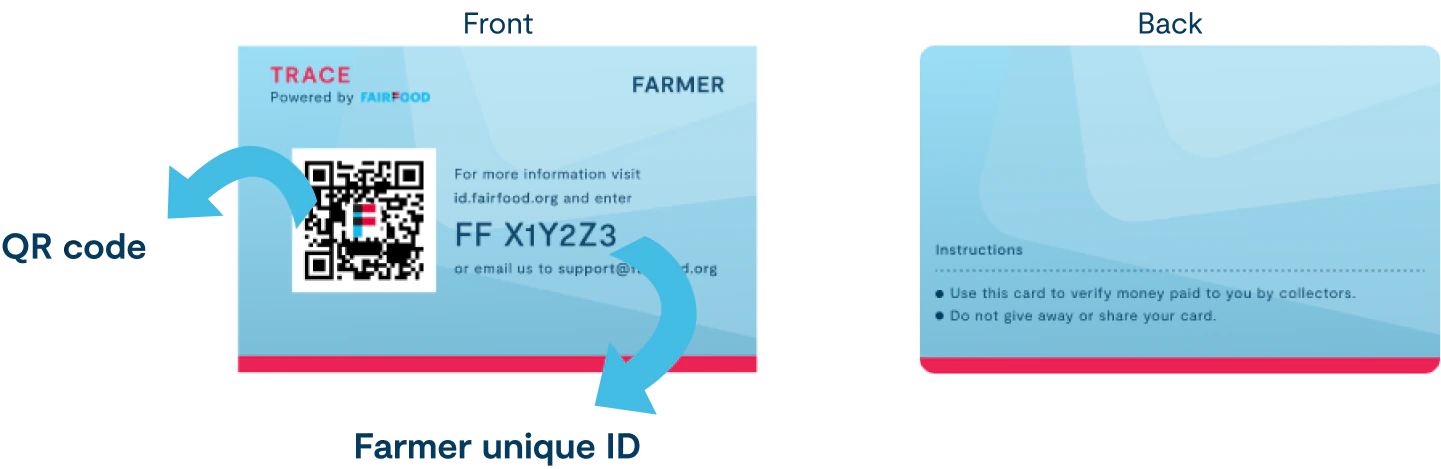 * Each farmer card has a Unique Farmer ID, starting with "FF" followed by an alphanumeric identifier.
* A QR code is displayed on the front side of the card. This QR code is used to identify the assigned farmer by scanning it with the Connect app during transactions.
* This will be an NFC card, allowing transactions to be registered by tapping NFC-supported mobile devices during the transaction time.
### Card configurations
* The card is supported only for Android devices.
* Each card has a unique Farmer ID, QR code, and Hex ID.
**Card material :** 1 khz Mifare card, Matte finish print
**Card dimensions :** 51x83 mm - Text and logo area , 57x89 mm - Background size
### System configurations
**Tag type :** ISO 14443-3A : NXP-Mifare Classic 1k
**Technologies available :** nfcA, MifareClassic, NdefFormatable
**Serial number :** E0:B4:A3:9F
**ATQA :** 0x0004
**SAK:** 0x08
**Memory information:** 1 kBytes : 16 sectors of 4 blocks (16 bytes each)
### Card printing procedures
#### Procedures for Sharing Cards for Printing
* [x] **Collect Data in sheet (UID numbers)**
* **Gather all the necessary information for each card, including:**
* Unique Farmer ID (starting with "FF" followed by an alphanumeric identifier)
* [x] **Prepare all QR codes for each cards**
* [x] **Verify Language of the card**
* [x] **Design Card Layout:**
* Create a card design template in figma/ Illustrator that includes placeholders for the Farmer ID, QR code, and NFC hash values.
* Ensure the design is clear and the QR code is prominently displayed on the front side of the card.
* Ensure each cards has unique Farmer IDs
* [x] **Share with the printing partner:**
* Send the finalized Excel sheet and the print-ready files to the printing service.
* Include detailed printing specifications and instructions to ensure the correct production of the cards.
* [x] **Verify Samples:**
* Request sample prints to review and confirm the accuracy and quality of the cards.
* Check that all data (Farmer ID, QR code, NFC hash values) is correctly printed and functional.
#### Procedures for Collecting Cards after Printing
* [x] **Collect NFC hash values**
* [x] **Quality Check**
* Conduct a final quality check on the printed cards to ensure all details are accurate and the cards work properly with Android devices.
### Card samples
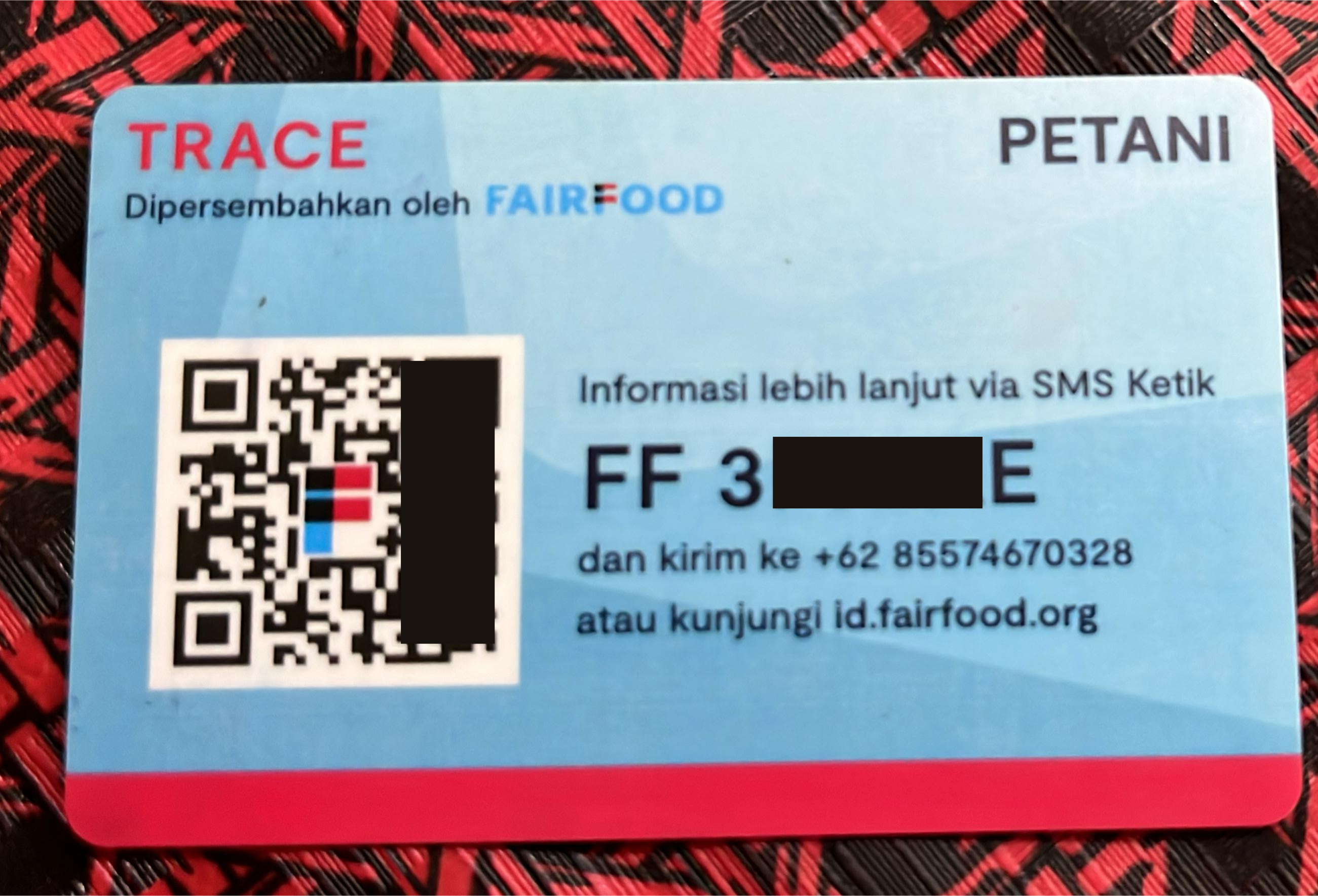
* Each farmer card has a Unique Farmer ID, starting with "FF" followed by an alphanumeric identifier.
* A QR code is displayed on the front side of the card. This QR code is used to identify the assigned farmer by scanning it with the Connect app during transactions.
* This will be an NFC card, allowing transactions to be registered by tapping NFC-supported mobile devices during the transaction time.
### Card configurations
* The card is supported only for Android devices.
* Each card has a unique Farmer ID, QR code, and Hex ID.
**Card material :** 1 khz Mifare card, Matte finish print
**Card dimensions :** 51x83 mm - Text and logo area , 57x89 mm - Background size
### System configurations
**Tag type :** ISO 14443-3A : NXP-Mifare Classic 1k
**Technologies available :** nfcA, MifareClassic, NdefFormatable
**Serial number :** E0:B4:A3:9F
**ATQA :** 0x0004
**SAK:** 0x08
**Memory information:** 1 kBytes : 16 sectors of 4 blocks (16 bytes each)
### Card printing procedures
#### Procedures for Sharing Cards for Printing
* [x] **Collect Data in sheet (UID numbers)**
* **Gather all the necessary information for each card, including:**
* Unique Farmer ID (starting with "FF" followed by an alphanumeric identifier)
* [x] **Prepare all QR codes for each cards**
* [x] **Verify Language of the card**
* [x] **Design Card Layout:**
* Create a card design template in figma/ Illustrator that includes placeholders for the Farmer ID, QR code, and NFC hash values.
* Ensure the design is clear and the QR code is prominently displayed on the front side of the card.
* Ensure each cards has unique Farmer IDs
* [x] **Share with the printing partner:**
* Send the finalized Excel sheet and the print-ready files to the printing service.
* Include detailed printing specifications and instructions to ensure the correct production of the cards.
* [x] **Verify Samples:**
* Request sample prints to review and confirm the accuracy and quality of the cards.
* Check that all data (Farmer ID, QR code, NFC hash values) is correctly printed and functional.
#### Procedures for Collecting Cards after Printing
* [x] **Collect NFC hash values**
* [x] **Quality Check**
* Conduct a final quality check on the printed cards to ensure all details are accurate and the cards work properly with Android devices.
### Card samples